Request Cloud Storage
Choose your recording plan and send your contact details, camera count, brand information, and notes.
Existing Camera Cloud Upgrade
With AnyAIcam, enjoy AI features and secure cloud storage—all from your current cameras.
Customer Workflow
ANYAICAM guides you through each step, from choosing cloud storage to confirming that your selected cameras are recording correctly.
Choose your recording plan and send your contact details, camera count, brand information, and notes.
ANYAICAM reviews your order and creates your cloud account. Videoloft then emails your secure billing link and login credentials.
Purchase the Videoloft Cloud Adapter right away when needed. Its built-in software works with both Mac and Windows.
Use the approved software path or connect the Cloud Adapter when required, then log in and enter your Cloud ID.
Scan for your selected cameras and enter the camera username and password you already use.
Confirm live viewing and cloud recording. Once everything is connected and working, your cloud solution is ready to use.
Keep your camera or recorder username and password available during setup so camera discovery and cloud activation can be completed smoothly.
What ANYAICAM Helps With
Customer account creation through the Videoloft partner portal.
Next-step instructions so customers can access the CCTV Connect app or approved software path.
Guidance for entering the Cloud ID, discovering compatible cameras, and completing cloud activation.
Help confirming whether a cloud adapter is needed for the existing camera system.

Mobile App Access
Customers use the CCTV Connect app for cloud camera access after their account is created and onboarding is complete. The app helps customers view connected cameras from their phone once the system is activated.
Adapter Guidance
If your cameras cannot connect directly through software, ANYAICAM may recommend a cloud adapter during the activation review. After the Cloud ID is entered, camera scanning and username/password entry follow the same automated finish process.
Up to 8 cameras may qualify for the Cloud Adapter Mini at $349. More than 8 cameras may require the 16-camera cloud adapter at $399.
View Adapter Options Open Adapter Options Page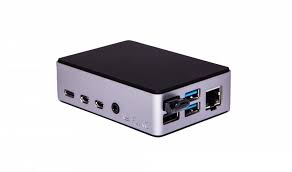 Cloud Adapter Mini
Adapter First
Once you order cloud storage, you can purchase the Videoloft Cloud Adapter right away. Its built-in software works with both Mac and Windows. Connect the adapter, complete setup, and your cloud solution is ready to use.
Order cloud storage and purchase the Videoloft Cloud Adapter when needed.
Wait for the adapter to arrive at the customer location.
Connect the adapter to power and the customer network near the camera system.
Register the device, confirm your cameras are connected, and begin using cloud recording.
Recording Plans
Most customers do not know their camera megapixel, so ANYAICAM keeps the request simple. Choose the recording time you want and we will confirm compatibility after reviewing your system. New activations include a 30-day free trial before the first subscription payment.
30-day free trial
$9.19 / camera / month
30-day free trial
$10.09 / camera / month
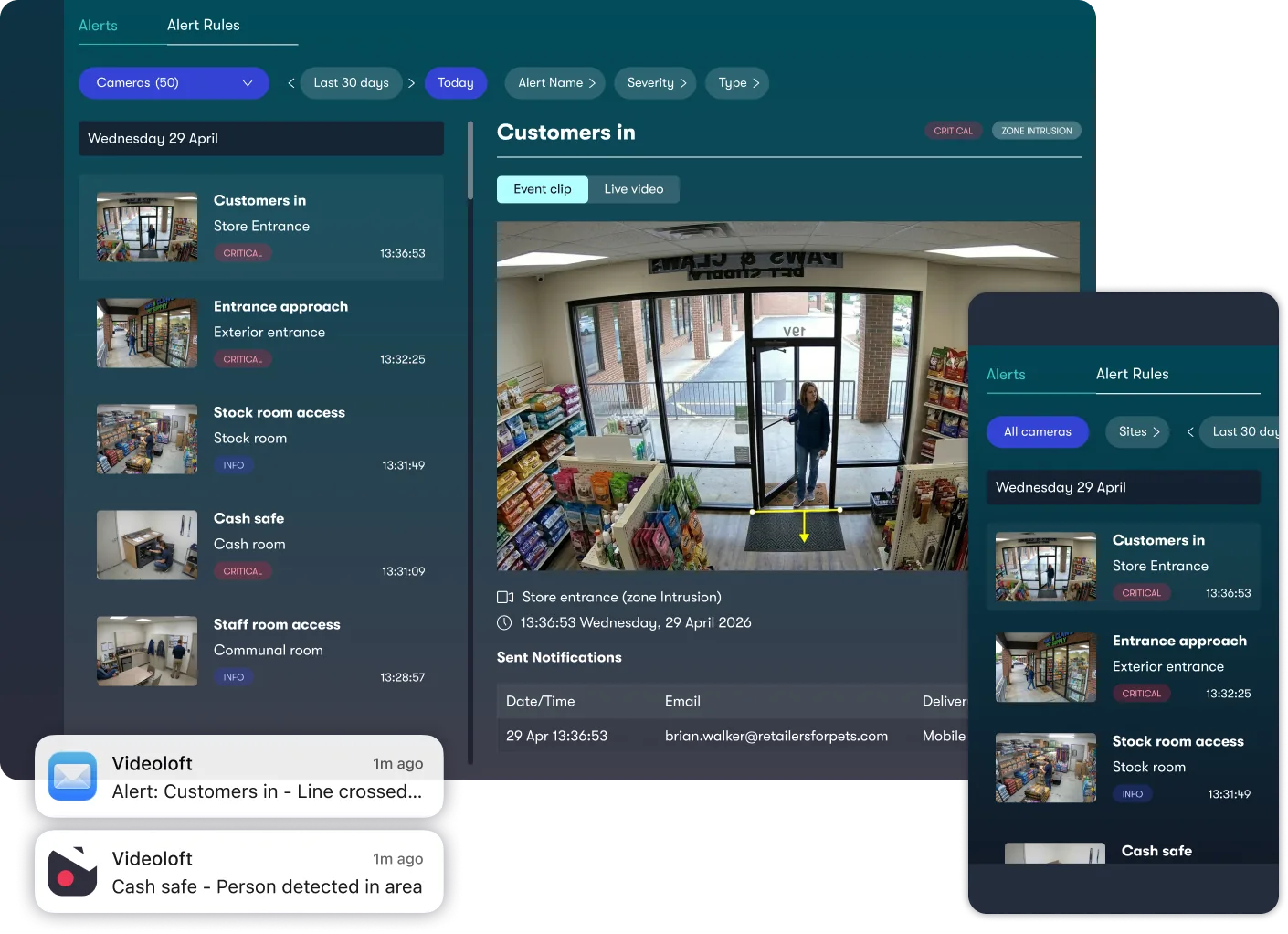
Add $1.49 / camera / month
Smart Motion is Videoloft's advanced detection and tracking technology. It continuously spots, follows, and classifies people and moving vehicles, giving you clearer insights and faster investigations.
Watch Smart Motion Video Request Cloud ActivationPricing is per camera, per month. Final availability depends on camera compatibility, recorder setup, network access, and the number of cameras activated. First subscription payment is taken after the 30-day trial.
Get Started
Complete the activation request form. ANYAICAM will review your camera details, confirm whether you need direct software/Cloud ID setup or a cloud adapter, and send the next steps shortly.
Do not email camera usernames, passwords, payment card details, or private access codes. Every website request includes a request ID so ANYAICAM can help verify the request before activation.
A Cloud ID is the code used by the CCTV Connect app or approved software path to connect your site or recorder to cloud service.
Many compatible IP camera and recorder systems may qualify, including Axis, Dahua, Lorex, LTS, Hikvision, Reolink, TVT, Uniview, Vivotek, Hanwha Vision, Digital Watchdog, ONVIF systems, and setups using a cloud adapter.
ANYAICAM reviews your details, confirms whether you need direct software or a cloud adapter, enters the setup in the Videoloft partner portal, and Videoloft sends a secure link for card details.
No. This site only collects activation requests. After ANYAICAM enters the setup, Videoloft sends the customer a secure billing link. New activations include a 30-day free trial before the first subscription payment.
Do not send passwords or card details by email. Real website requests include a request ID, and ANYAICAM will review details before sending next steps.